
Progress Path
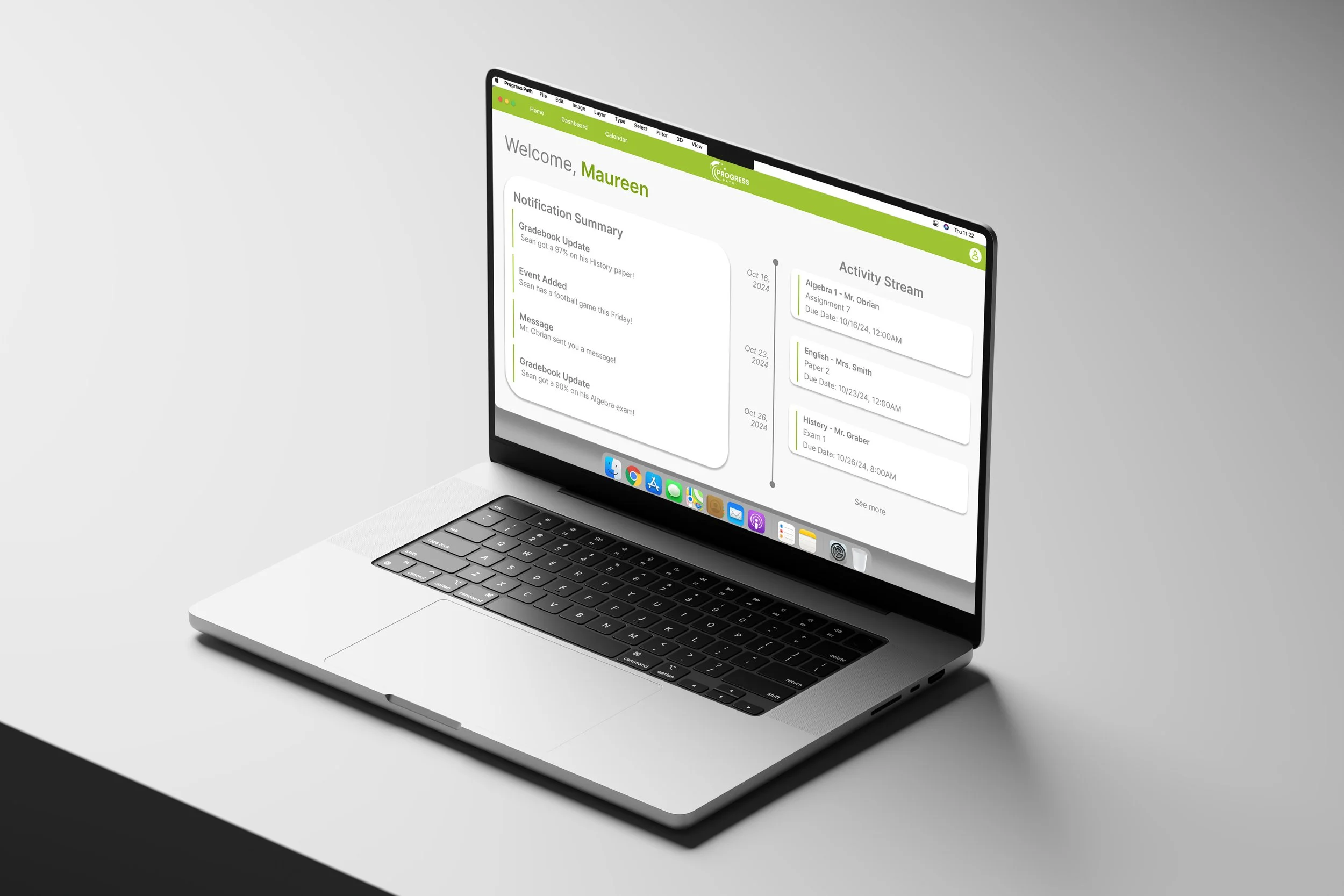
Progress Path is a smart digital ecosystem that turns scattered school updates into one clear, personalized hub for families. It helps busy parents stay ahead of assignments, events, and messages so nothing important slips through the cracks.
Problem Statement
Parents often find it challenging to stay informed about their child's academic progress, attendance, and school activities through various communication channels and platforms. This is a problem because it can lead to gaps in communication, lack of engagement, and difficulty supporting their child's education.
Research Objectives:
01
Evaluate the effectiveness of current communication channels and platforms used by schools to keep parents informed.
03
Investigate the types of information parents find most critical for supporting their child's education.
02
Assess the impact of communication gaps on parental engagement and their ability to support their child's education.
04
Analyze the role of personalized communication in improving parent engagement and satisfaction.
Recent Innovations
Modern tools like ParentSquare and Canvas are transforming how schools connect with families. These platforms streamline communication by combining messages, updates, and alerts in one space, allowing parents to stay informed through text, email, or app notifications. By supporting two-way communication, they make school engagement easier and more consistent, helping close long-standing information gaps.
Research Findings
Demographics and Behaviors
Cultural and Social Context
K–12 parents often balance demanding schedules, making convenience and accessibility key to engagement. Research shows that when parents—regardless of income or education level—stay involved, students see improved performance and attendance. Communication tools must therefore be mobile-friendly, flexible, and easy to use.
Historical Origins
Existing Solutions and Competitors
Efforts to involve parents in education date back to the 1960s, gaining traction through legislation like the 1975 Individuals with Disabilities Education Act (IDEA). While engagement has grown over time, digital fragmentation now presents new obstacles, as schools juggle multiple systems that don’t always connect effectively.
Barriers like long work hours, limited digital access, and varying technology skills continue to challenge family engagement. These issues became more pronounced with remote learning, emphasizing the importance of simple, inclusive communication systems that meet families where they are.
Competitors such as ClassDojo, Seesaw, and Bloomz offer different approaches to school communication. The most effective platforms succeed by keeping interactions simple and mobile, while those with complex or poorly integrated systems often struggle. Systemic challenges persist, particularly in regions with lower digital literacy or limited resources.
Survey Insights Show That Communication Gaps and Infrequent Updates Limit Parental Engagement.
Survey data reveals that high school parents face greater challenges staying informed, often due to complex schedules and limited communication frequency. Parents who receive fewer updates are more likely to experience gaps that lead to missed events and reduced engagement—66% reported missing important deadlines as a result. Websites and email remain the most effective channels, providing reliable access to academic and event information. Overall, parents value consistent, clear updates about grades, assignments, and school announcements, highlighting the need for regular, accessible communication to strengthen family involvement.
User Personas and Maps
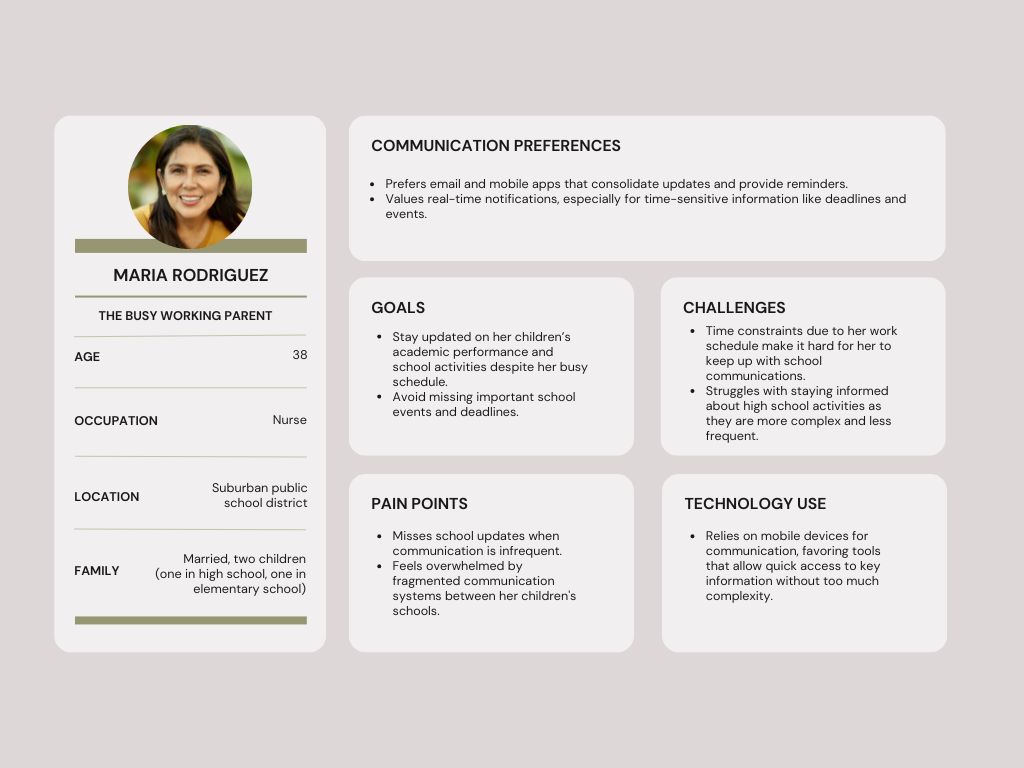
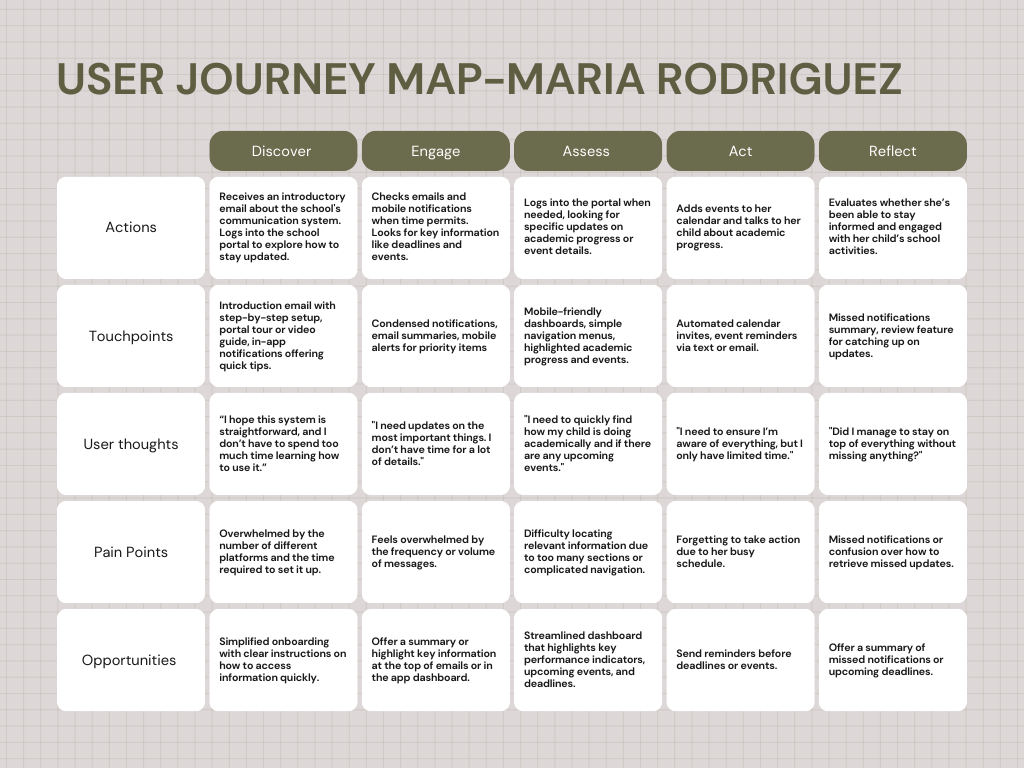
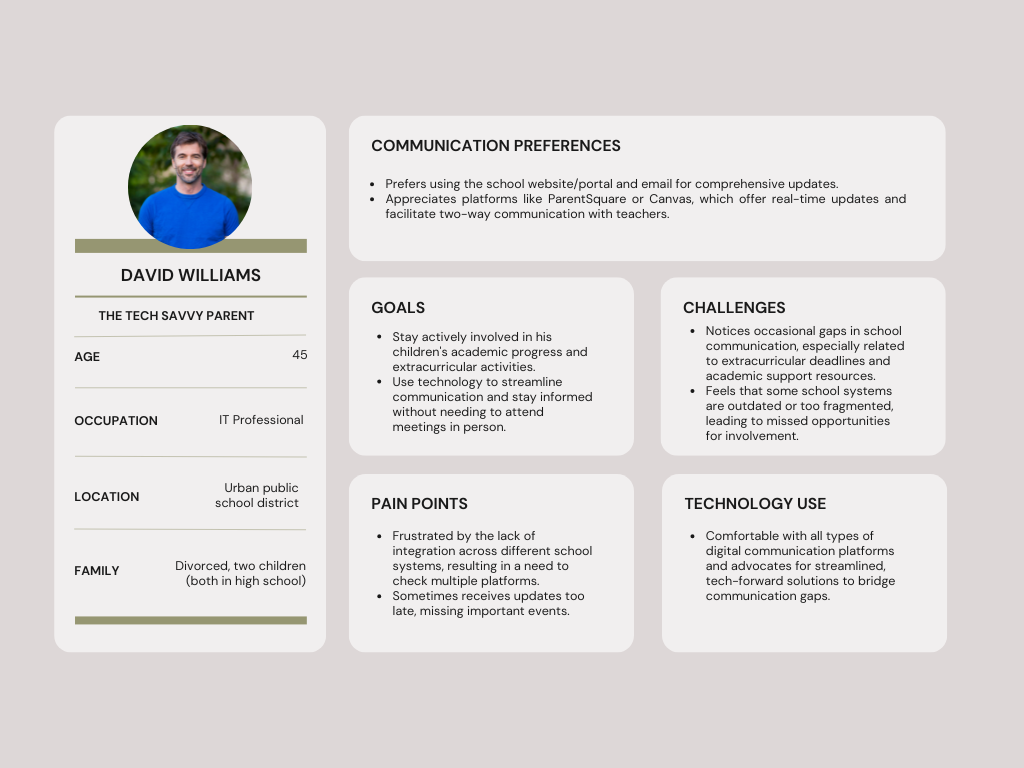
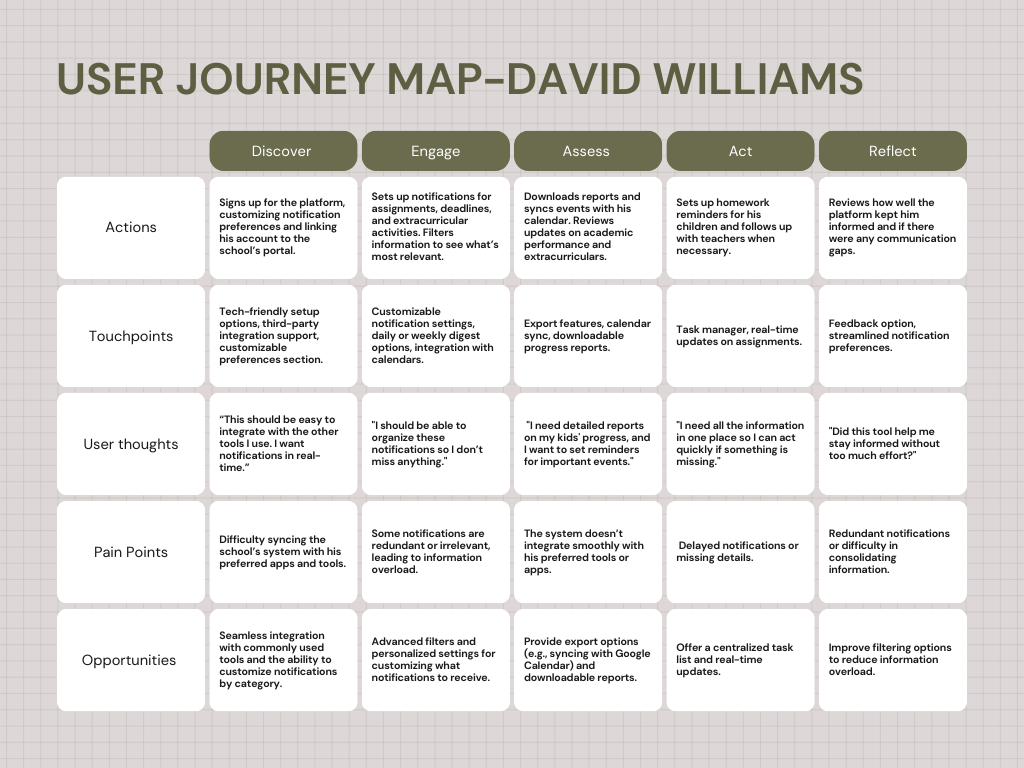
The solution is a digital ecosystem that centralizes school–home communication in one flexible, easy-to-use environment for busy K–12 parents. It streamlines setup with user profiles and customizable preferences, then delivers real-time updates on assignments, event reminders, and missed-notification summaries, and automated calendar invites to reduce communication gaps.
Desktop
01. A Onboarding: Login
01. B Onboarding: Create Account
02. Home Screen: Activity Stream and Notifications
03. Dashboard: Grade book and Messaging System
04. Calendar: Class and Extracurricular Schedules
05. Account: Adjustable System Preferences
Parents can securely log in, quickly find information, and view simple analytics about their child’s progress. Features like direct contact with teachers, and voice-based input make two-way communication more accessible for families with limited time or varying tech comfort levels.
Mobile
01. A Onboarding: Login
01. B Onboarding: Create Account
02. Home Screen: Activity Stream and Notifications
03. Dashboard: Grade Book and Messaging System
04. Calendar: Class and Extracurricular Schedules
05. Account: Adjustable System Preferences
The system also supports third-party integrations, exportable reports, and in-app tips, ensuring it fits into existing school infrastructure while remaining simple enough to use across different socioeconomic and digital literacy contexts.
Smart Watch
01. Notifications
02. Messages
03. Activity Stream
04. Calendar
Thank you for viewing.